

Visitor
•
3 Messages
MB8611 T3 timeout and sync errors
We have a Motorola MB8611 modem that worked great for months after upgrading to 1 Gbps speeds. On 4/29, we received a message from Xfinity that they have boosted our speeds to 1.2 Gbps. After receiving the message and restarting the modem, the internet has had persistent, intermittent dropping. Two Xfinity techs have come out to the house. The second one did a factory reset of the modem. We have checked and factory reset the router equipment. We have requested a roll back to 1 Gbps. Same problem.
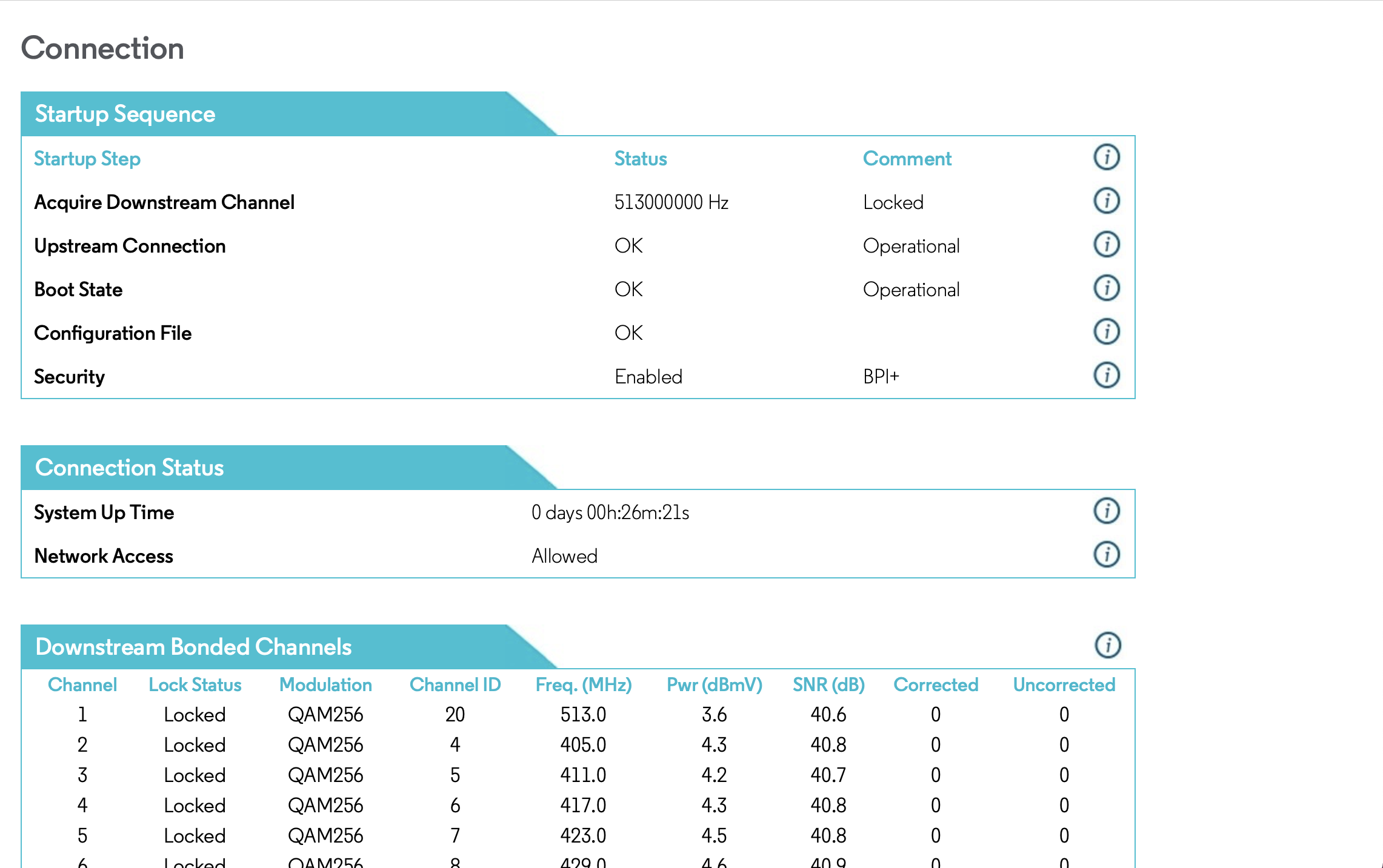
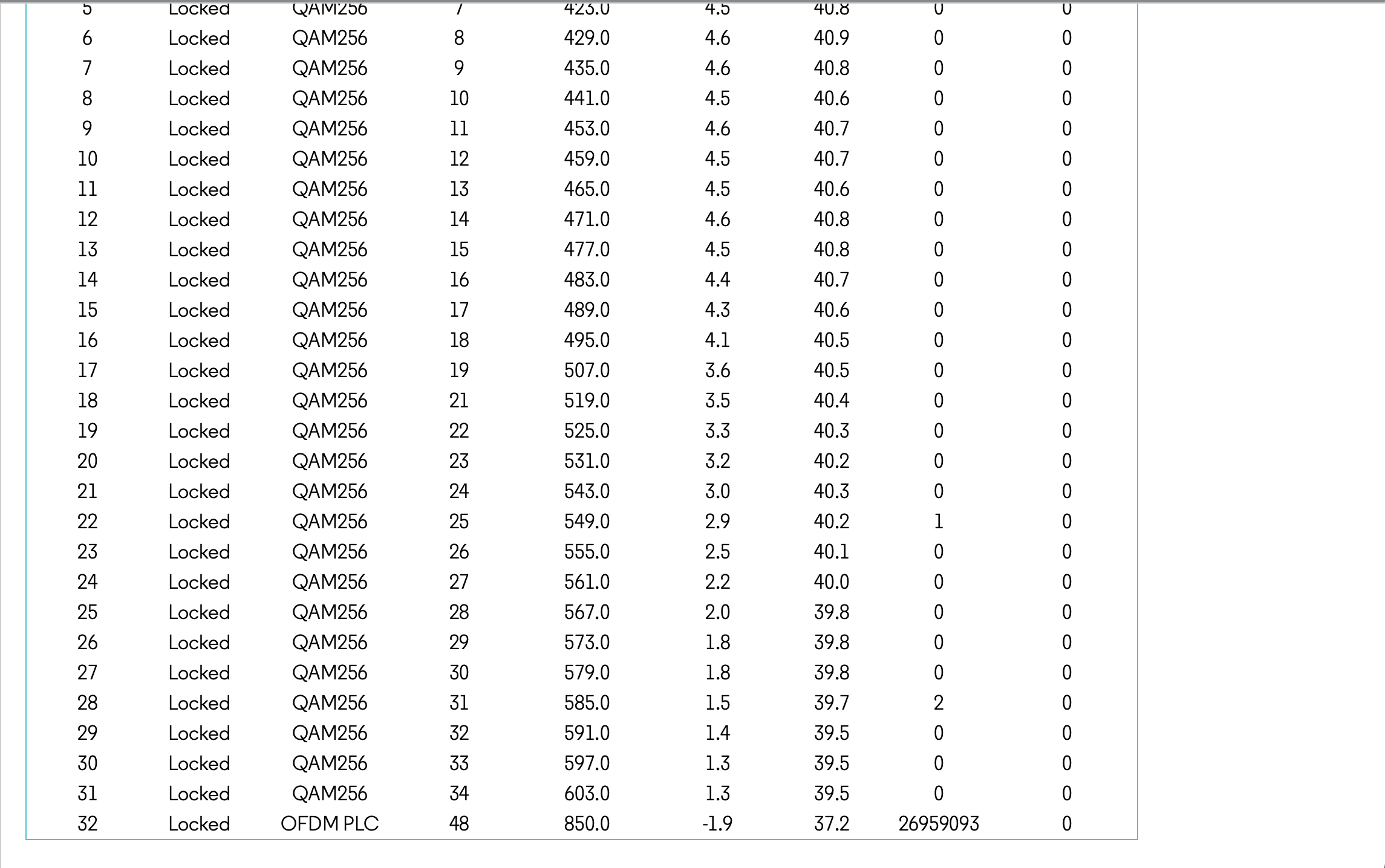
Today I logged into the modem, and here are some screen shots of connection and event log. Motorola info says to contact ISP. After days of interruptions, restarts, and troubleshooting, I'd appreciate guidance on next steps.
Thank you!
Connection
Event Log

EG
Expert
•
118.3K Messages
5 years ago
Please also post the upstream power level figures.
1
0
user_a8a014
Visitor
•
3 Messages
5 years ago
@EG
Here is the upstream screenshot.
1
0
EG
Expert
•
118.3K Messages
5 years ago
The signal stats are o/k but the error log entries indicate that something is going on. Perhaps there is noise ingress into the line(s) / an upstream channel-return path impairment somewhere.
There are other signal stat figures that can't be read by the modem. They are the "Upstream Rx Power" (Upstream Receive Power Level), the "Upstream SNR Ch." (Upstream Signal To Noise Ratio), and the "Upstream ICFR" (In Channel Frequency Response). These are as equally important in diagnosing connectivity issues as are the modem's stats.
I'm going to escalate your issue to the Comcast corporate employees that are available to these boards. They will be able to poll the CMTS to see whether or not everything is in the green zone, see your node / cable plant and modem health, and also see a history plot for the modem. You should get a reply here in your topic. Good luck !
4
0
user_9e8180
Contributor
•
27 Messages
5 years ago
Hi there
I'm experiencing this issue as well. Is there a resolution for this?
1
0