



Contributor
•
97 Messages
DVR Doesn't Allow Rewind or Fast Forward
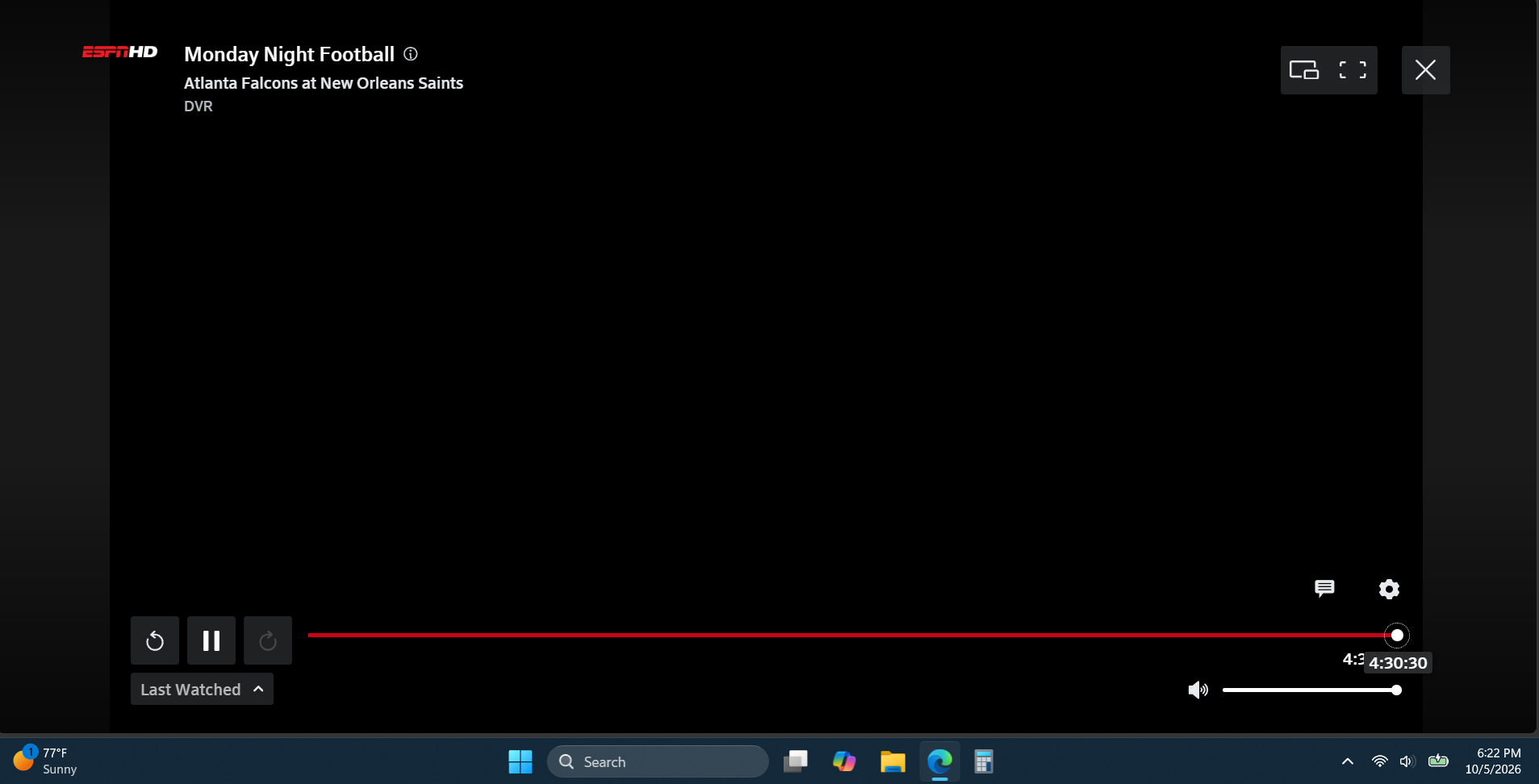
I DVR'd Monday Night Football and the meter that shows how far into the game we are is all the way to the right with no option to rewind or fast forward. It was doing this last week, too, and I assumed ya'll might notice and fix it. I'm on a Windows 11 laptop fully updated with the Windows updates. It also does it on my Android phone with the Stream App for Android.
So it shows I've been watching 4 hours and 30 minutes on the meter but it's basically the end of the 1st quarter right now. And it starts at the beginning of the football game when I started recording near the end of the 1st quarter. And I can't fast forward or click "live" to get to where it's live.
Ya'll need to stop breaking things at Xfinity. See my picture below. The game started at a little over an hour ago Pacific time, and it shows I'm at the 4 hour 30 minute mark. LOL

jdawg90
Contributor
•
97 Messages
2 days ago
At least the error is honest LOL. Now I deleted that recording and started a new recording. And it starts from the same soup commercial but the meter works. But I had to fast forward to the point in the game I'd left off. Normally, when I hit "record" at 6:25pm, it starts the recording at 6:25pm. I guess now it loads the entire football game from the beginning? That's fine, maybe has something to do with the ESPN app we get "for free" through Xfinity, but it's got issues figuring itself out.
1
0
jdawg90
Contributor
•
97 Messages
1 day ago
It seems, given reading through the threads on this forum, this *should* be a known issue to Xfinity? That your web-based Xfinity Stream is fully dysfunctional and not working?
0
XfinityDilary
Official Employee
•
3.9K Messages
4 hours ago
0
0