


Visitor
•
3 Messages
Xfinity app not recognizing PC as a desktop
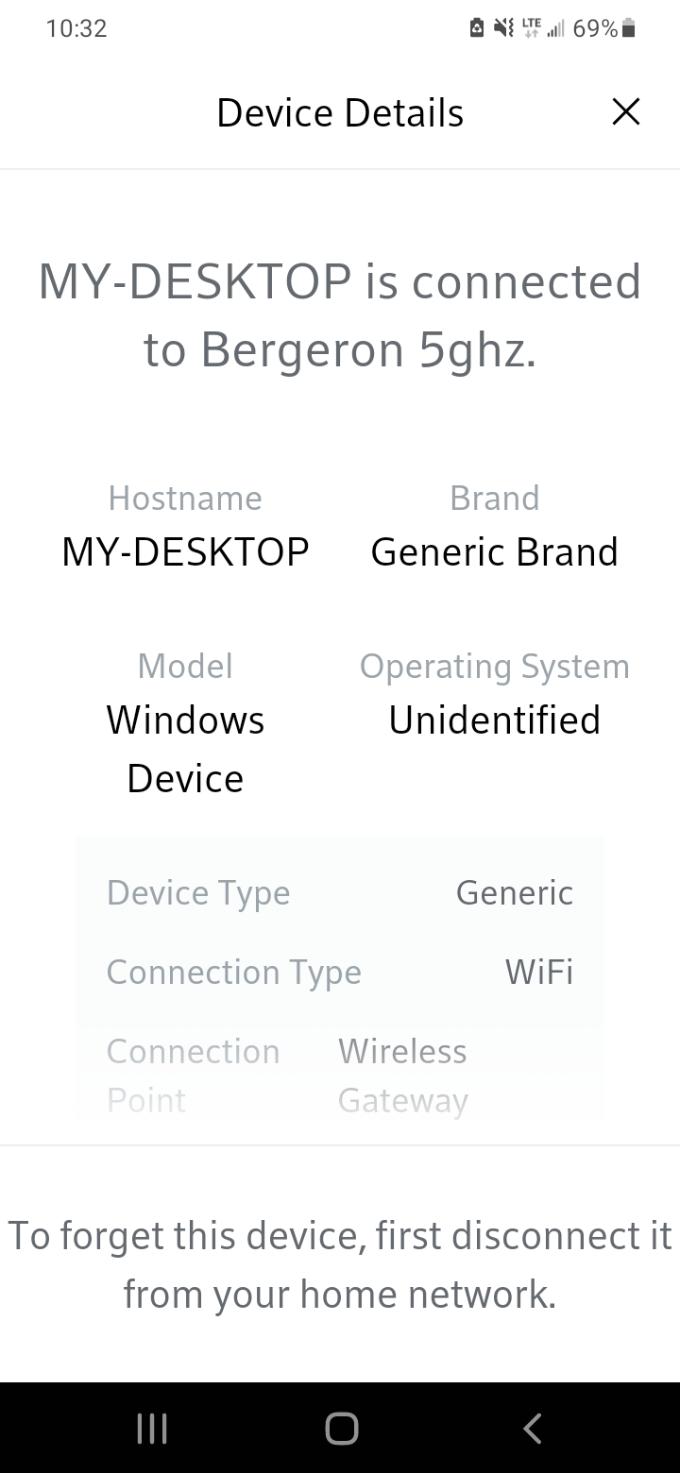
I've been experiencing severely slow upload speeds all day so I decided to check my xfinity app to see if something was up. I went to the "my devices" section, located my computer and clicked device details and it showed its brand as "generic" with an "unidentified" Operating System. Furthermore, I clicked to troubleshoot the device and usually there is a checklist that pops up that confirms if I have "HD video", "video chatting", "gaming", etc. But the only thing on the checklist this time was "Basic connection". It appears as though my router suddenly stopped recognizing my PC as a Desktop?
Can anyone help me resolve this?

BergeronLafourche
Visitor
•
3 Messages
5 years ago
This is what it showed when I tried to troubleshoot.
0
0
BergeronLafourche
Visitor
•
3 Messages
5 years ago
And this is what the checklist is supposed to look like when troubleshooting.
1
0