




Visitor
•
2 Messages
Remove Personal Modem / Router / Gateway From Account
I've seen so many posts about this with no actual resolution aside from direct messaging customer service. I need to remove old personal routers from my account as I've upgraded.
UPDATE 2026/11/05
After messaging Xfinity Support, here are the steps I took to ensure the device was no longer linked to my account:
Device Info - Xfinity Compatible Modems
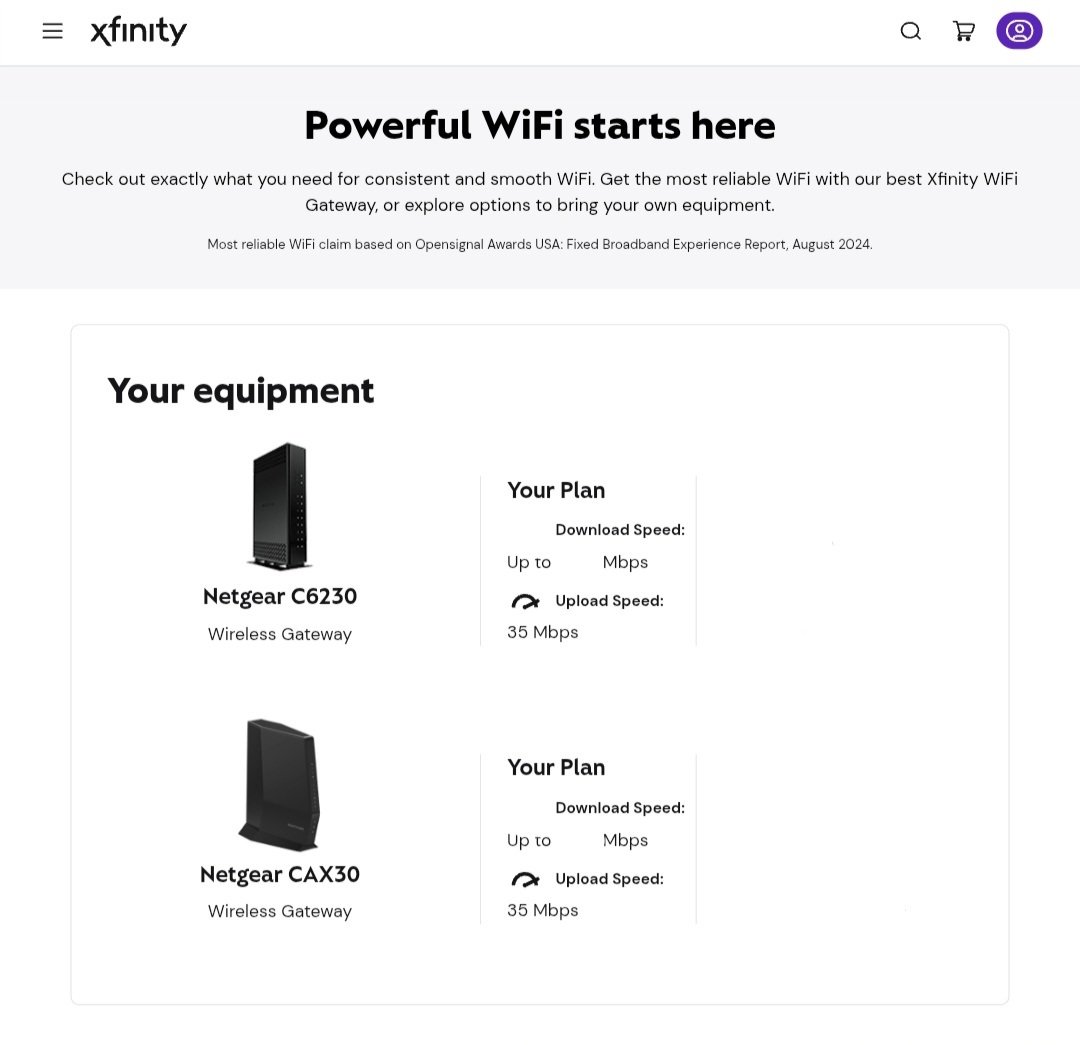
- If you send a screenshot of your view on this site to Xfinity Support, it can help
For my issue, all they could see was the CAX30. I wanted the C6230 removed and after sending this image they were able to "find it on the backend" and remove it.
Hopefully this helps anyone else with this issue.

Community Best Answer
user_934du9
Visitor
•
2 Messages
34 minutes ago
After messaging Xfinity Support, here are the steps I took to ensure the device was no longer linked to my account:
For my issue, all they could see was the CAX30. I wanted the C6230 removed and after sending this image they were able to "find it on the backend" and remove it.
Hopefully this helps anyone else with this issue.
*Please note I'm not affiliated with Xfinity or Comcast. I'm a customer sharing information that helped with resolving this issue in my experience.
(edited)
1
0
XfinitySara
Official Employee
•
3.1K Messages
21 hours ago
We're happy to help remove those for you, @user_934du9! Thank you for creating a post to get started. Could you please send our team a direct message to continue?
How to send us a direct message:
To expedite your request, we ask that you please include your name and the service address alongside a detailed summary of your request/question. Thank you!
(edited)
0
0