

user_934du9's profile

Visitor

 • 

2 Messages

11/04/2026 7:53 PM

Closed

Remove Personal Modem / Router / Gateway From Account

I've seen so many posts about this with no actual resolution aside from direct messaging customer service. I need to remove old personal routers from my account as I've upgraded. 

UPDATE 2026/11/05

After messaging Xfinity Support, here are the steps I took to ensure the device was no longer linked to my account: 

  • Go to the site below to view the devices linked to your Xfinity account

Device Info - Xfinity Compatible Modems
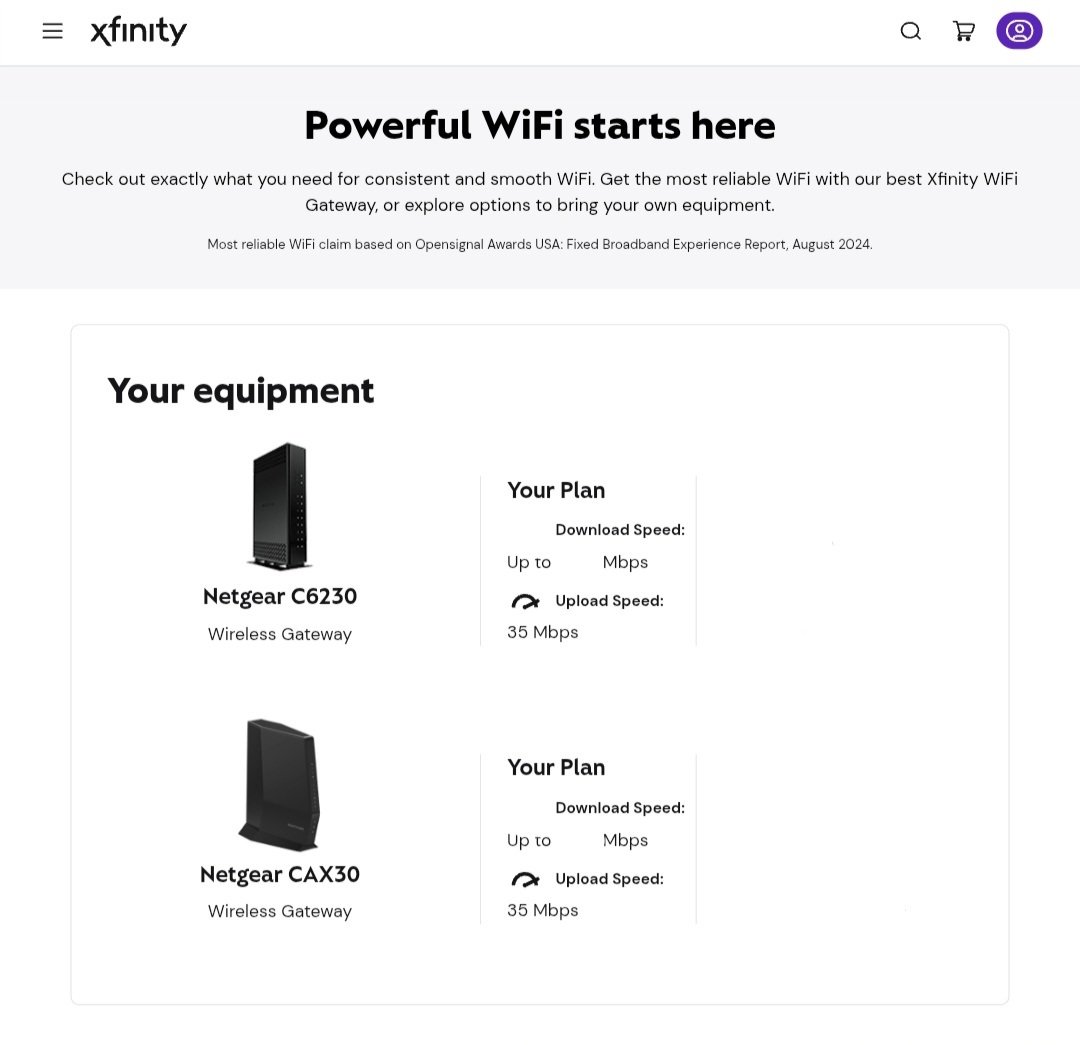
  • If you send a screenshot of your view on this site to Xfinity Support, it can help

For my issue, all they could see was the CAX30. I wanted the C6230 removed and after sending this image they were able to "find it on the backend" and remove it.

Hopefully this helps anyone else with this issue.

*Please note I'm not affiliated with Xfinity or Comcast. I'm a customer sharing information that helped with resolving this issue in my experience. 
Oldest First
Selected Oldest First

Community Best Answer

Visitor

 • 

2 Messages

32 minutes ago

After messaging Xfinity Support, here are the steps I took to ensure the device was no longer linked to my account: 

  • Go to the site below to view the devices linked to your Xfinity account

Device Info - Xfinity Compatible Modems

  • If you send a screenshot of your view on this site to Xfinity Support, it can help

For my issue, all they could see was the CAX30. I wanted the C6230 removed and after sending this image they were able to "find it on the backend" and remove it.

Hopefully this helps anyone else with this issue.

*Please note I'm not affiliated with Xfinity or Comcast. I'm a customer sharing information that helped with resolving this issue in my experience. 

(edited)

Official Employee

 • 

2.5K Messages


user_934du9 Thank you for sharing the update with our community on how we were able to remove the device from showing in the account online and on the Xfinity app. For this situation you would need to reach out to our team. While the device was removed from one system it was stuck in another system. By clearing the device from the additional system 'backend' it allowed the account details to update correctly. The device being stuck in this system should not have caused any service issues. However, it would create some confusion I'm sure seeing the device still on the account. 
 
I'm happy that we were able to resolve this quickly. If there is anything else that we can help you with please know my team is here and happy to help out. Simply create a new post, so we can reply to assist you. 


I am an Official Xfinity Employee.
Official Employees are from multiple teams within Xfinity: CARE, Product, Leadership.
We ask that you post publicly so people with similar questions may benefit from the conversation.
Was your question answered? Please mark as Best Answer.tick

Official Employee

 • 

3.1K Messages

21 hours ago

We're happy to help remove those for you, @user_934du9! Thank you for creating a post to get started. Could you please send our team a direct message to continue?


How to send us a direct message:  

  1. Click "Sign In" if necessary.  
  2. Click the "Direct Messaging" icon.  
  3. Click the "Start new conversation" (pencil and paper) icon.  
  4. In the "To:" line, type "Xfinity Support".  
  5. As you type, a drop-down list will appear. Select "Xfinity Support" from that list. 
  6. An "Xfinity Support" graphic will replace the "To:" line.  
  7. Type your message in the text area near the bottom of the window.  
  8. Press Enter to send it.  

To expedite your request, we ask that you please include your name and the service address alongside a detailed summary of your request/question. Thank you!  

(edited)

forum icon

New to the Community?

Start Here