

Visitor
•
1 Message
Property Damage Claim – Driveway Damaged During Underground Cable Installation
Comcast or its subcontractor recently performed underground cable installation work at my property in Warrenville, Illinois, to provide service to a neighboring property. This work involved boring underneath my asphalt driveway.
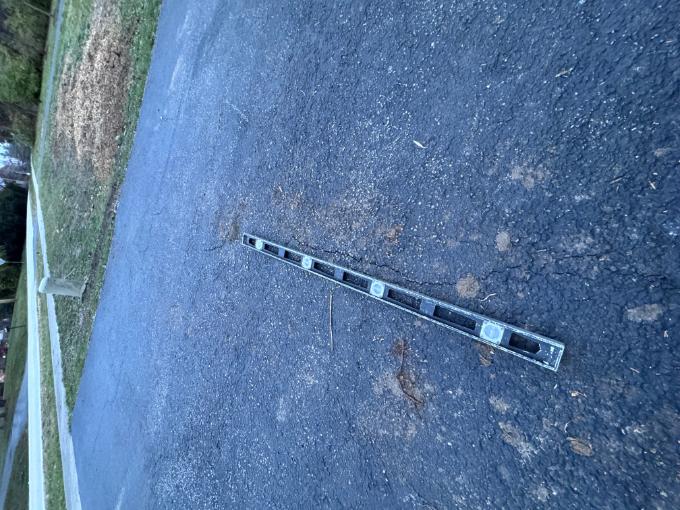
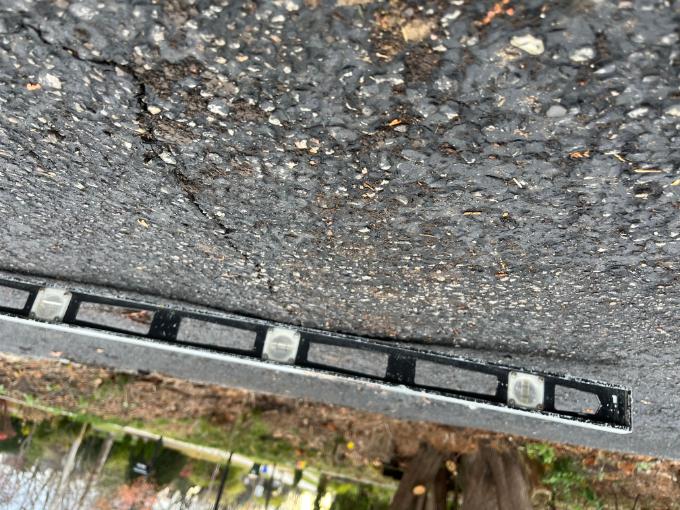
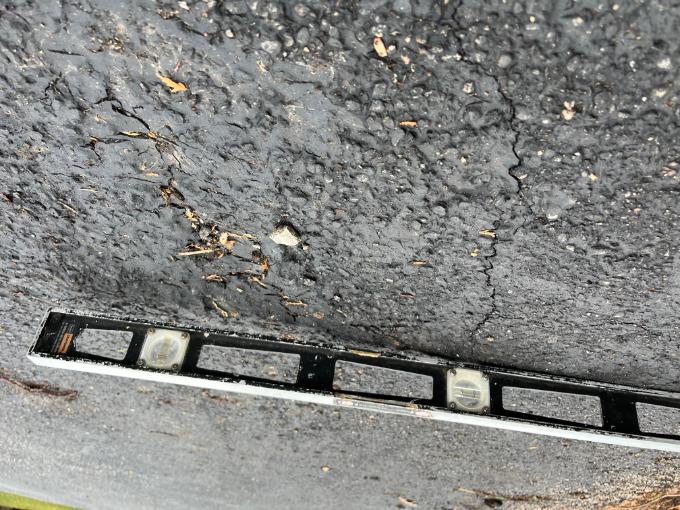
Following the installation, I discovered new cracking and a raised ridge in the driveway that were not present prior to the work. The affected area follows the path of the underground cable installation.
I have attached four photographs documenting the damage, including photographs using a level as a straightedge to demonstrate the unevenness of the pavement. The raised area is more apparent in person than in the photographs.
I am concerned that the underground boring operation may have displaced the material beneath the driveway and that the damage could worsen with vehicle traffic and the upcoming winter freeze-thaw cycles.
I attempted to contact Comcast through both the online assistant and telephone support but was unable to reach a representative who could assist me.
I am requesting:
-
A formal property damage claim and associated claim number.
-
Identification of the contractor responsible for the installation.
-
An on-site inspection to assess the extent of the damage.
-
Proper restoration of the driveway and any affected underlying material to their pre-installation condition at Comcast's or its contractor's expense.
I would appreciate assistance from an Xfinity representative in initiating this claim and arranging an on-site inspection.
Thank you.

XfinityAbel
Official Employee
•
575 Messages
48 minutes ago
@gb722 thanks for taking the time to post on our Xfinity Community Forums page. I'd like to do everything I can to help with getting that damage claim started. Please send a direct message including your full name and service address, and we can get started anytime.
How to Send Us a Direct Message:
You can see how to send us a direct message here:
How to: Direct messaging within the forum | Xfinity Community Forum
0
0