
Visitor

 • 

3 Messages

11/11/2026 3:45 AM

Internet Download and Upload Speeds Not Close to Plan

Hello,

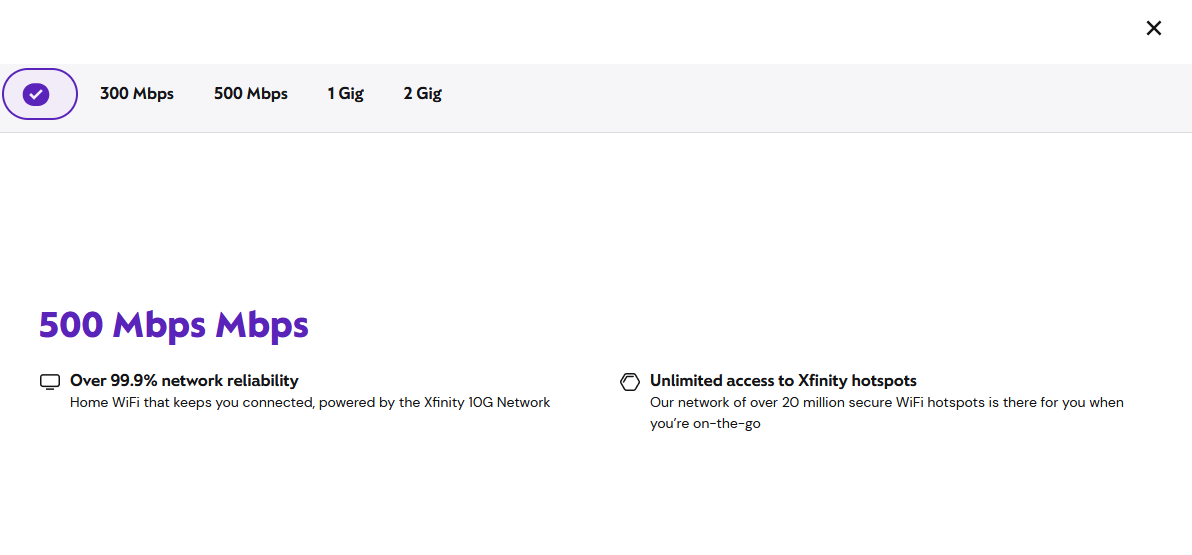
My issue is that my internet download and upload speeds are nowhere near what my plan states. Below is a screenshot of my current internet plan. I've reset my router many times (I have an ARRIS SBG10 router) and have run internet speed tests; they average around 150 Mbps - 170 Mbps download and 0.5 Mbps - 1.5 Mbps upload on a CAT6 Ethernet cable.

Oldest First
Selected Oldest First

Official Employee

 • 

2.6K Messages

3 days ago


user_bc9889 it's always possible the issue is the modem. How long have you seen this speed and have you seen the modem drop offline at all? The SBG10 is only going to work with lower speed tiers as of today. 


Gold Problem Solver

 • 

27.8K Messages

3 days ago

@XfinityJosephA wrote: "... The SBG10 is only going to work with lower speed tiers as of today."

Worse, the SBG10 is no longer compatible with Comcast/Xfinity Internet service. Follow the "See all modems" link near the bottom of https://www.xfinity.com/support/internet/customerowned, and then check the devices listed under the "All compatible modems by brand/Arris" heading. The SBG10 is no longer listed there. When it was last listed as compatible it was approved for use with plan speeds "Up to 392 Mbps".

(edited)

Official Employee

 • 

2.6K Messages

@BruceW​ that looks correct, it's only providing service in this situation because it's already active on the account. So, it's Grandfathered in. 

I am an Official Xfinity Employee.
Official Employees are from multiple teams within Xfinity: CARE, Product, Leadership.
We ask that you post publicly so people with similar questions may benefit from the conversation.
Was your question answered? Please mark as Best Answer.tick

Gold Problem Solver

 • 

27.8K Messages

But it's not capable of delivering the full speed the customer is paying for, is it? And AFAIK Comcast/Xfinity has never said how they provision devices operating on speed tiers they're not compatible with, but customers who tried it have reported that they don't get the results they expected. There's a tendency to think the device will provide the best performance it is capable of, but that doesn't seem to be the case.  

Visitor

 • 

3 Messages

Thank you for the insights. I'll upgrade the modem; hopefully there's an improvement and the speeds are closer to what I'm paying for.

Official Employee

 • 

1.7K Messages

Sounds good. Let us know if you need any help to activate it when you do. If you head over to https://www.xfinity.com/support/internet/customerowned, you can see a list of compatible modems. 

I am an Official Xfinity Employee.
Official Employees are from multiple teams within Xfinity: CARE, Product, Leadership.
We ask that you post publicly so people with similar questions may benefit from the conversation.
Was your question answered? Please mark as Best Answer.tick
forum icon

New to the Community?

Start Here