

Visitor
•
1 Message
Escalation needed
[Image Removal: "Personal Information"
[Image Removal: "Personal Information"
[Image Removal: "Personal Information"
[Image Removal: "Personal Information"
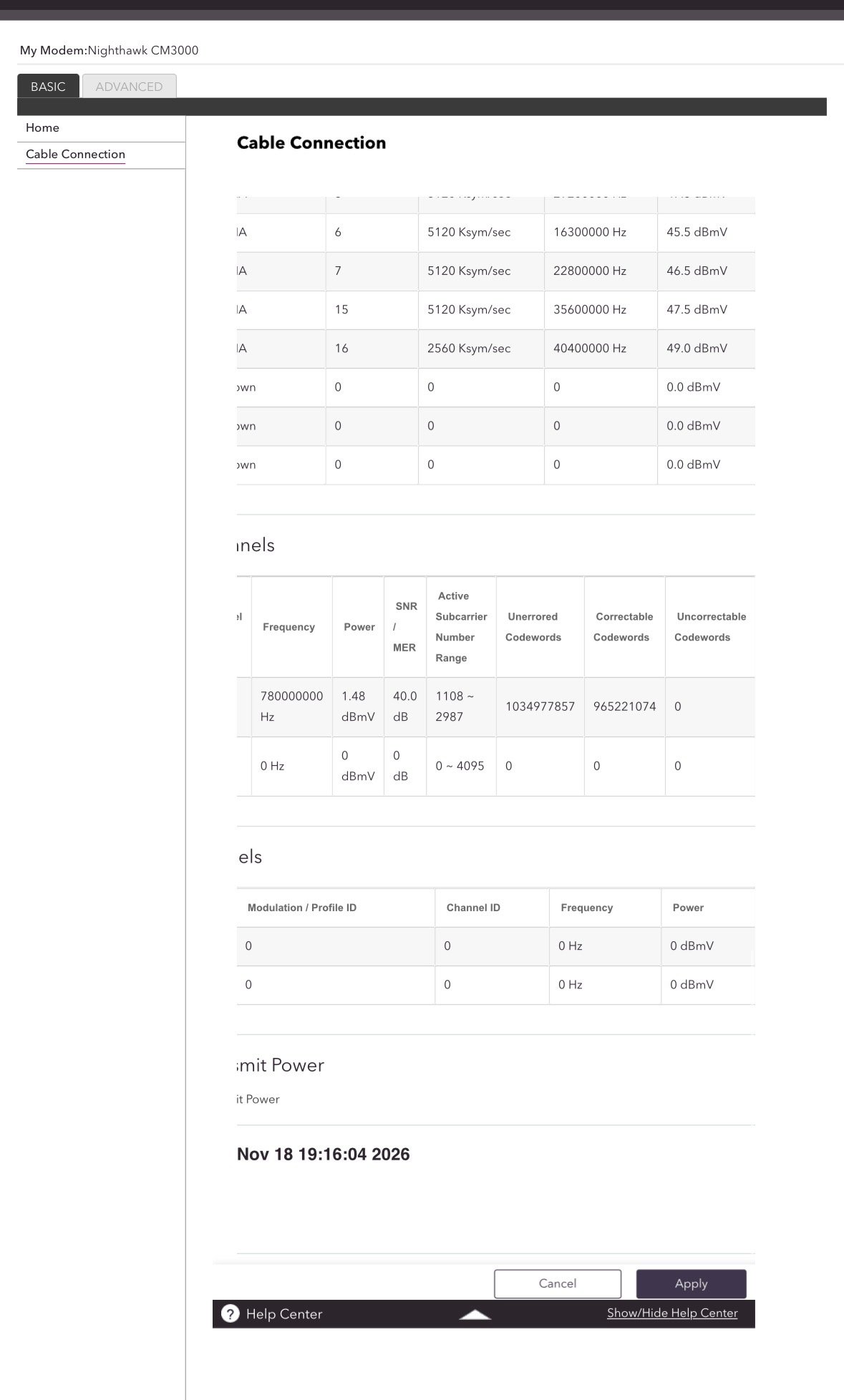
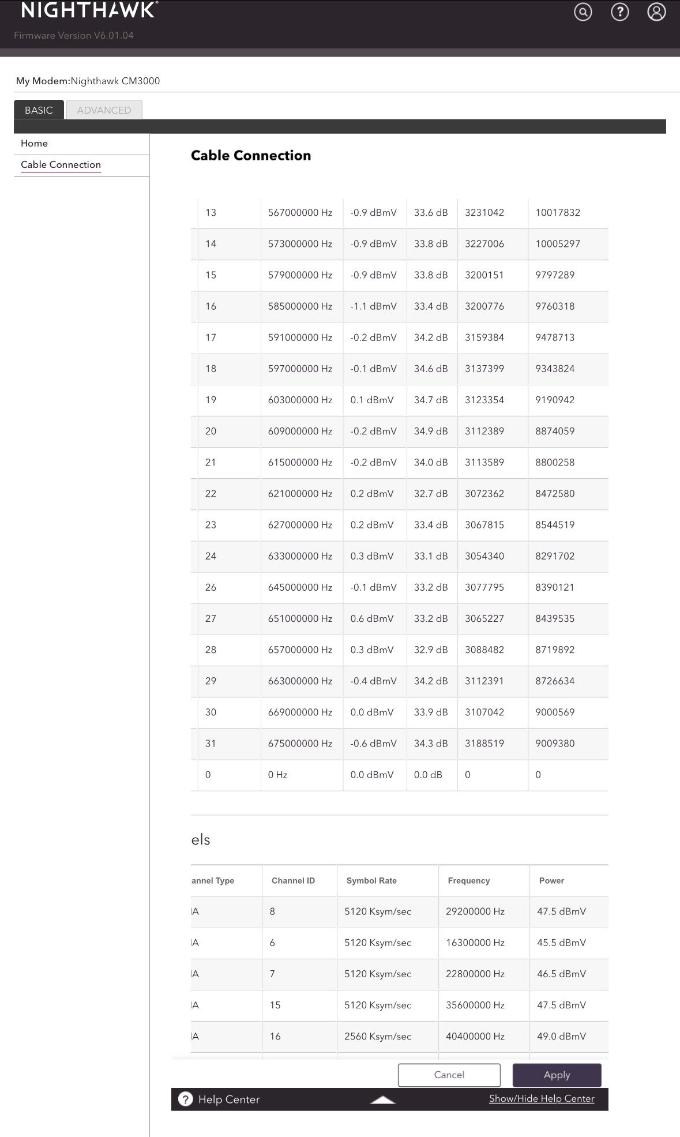
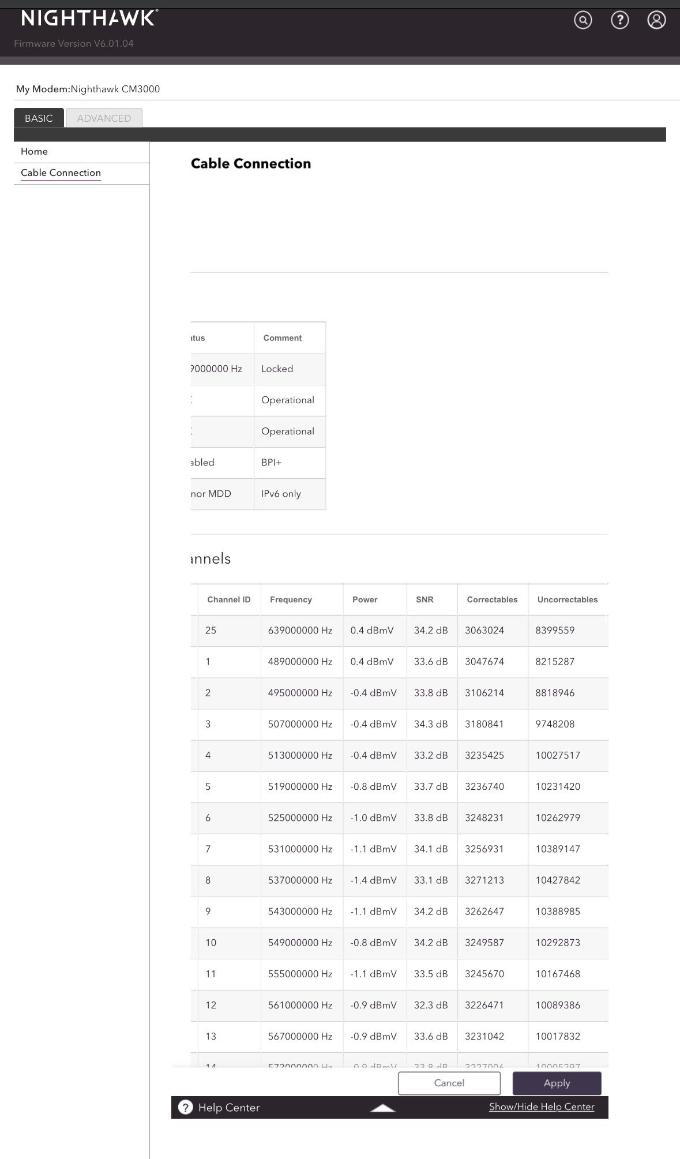
On a daily basis our internet drops off. We have had service at this address since 2020 with no problems until about a month ago. I have had two techs out to my home for this issue and chatted multiple times on the Xfinity website. We have our own modem and mesh system. The first tech who came out suggested it was sour modem that was to blame. I purchased a new modem even though the original was a good modem and only 2.5 years old. After purchasing the new modem we have continued to have daily drops of service, mostly between 6pm and 7am. The second tech who came out replaced splitters, cable ends, wall plates, and check the signal at the pedestal the box and my modem. At the time the signal was fine. That night the T3 and T4 errors continued. I chatted with an Xfinity associate and was told they would escalate this issue and that they would monitor my signal for 8 days and that would help them figure out where to look for the problem. After 9 days I chatted again and referenced the ticket number I was given. The associate I chatted with today said no such ticket existed and followed the same process. Checking my signal and restarting my modem. Again tonight my service has dropped out starting around 7pm. Clearly this is not my equipment. Please help. 17-T3 errors and 8- T4 errors within 11 minutes. This is not my modem causing this issue, there is an issue with the service. PLEASE HELP.

XfinityAmandaB
Official Employee
•
3.7K Messages
4 days ago
Thanks so much for taking a moment out of your day to leave a post on our community forum, and we would be happy to help. I will need to pull up your account to investigate this further. If you could send our team a direct message with your full name, the name listed on the account (if different), and the service address associated with your account, I'd be more than happy to look into this for you. Click "Sign In" (If necessary). Click the "Direct Messaging" Icon. Click the "Start New Conversation" (pencil and paper) icon. In the “To:” line, type "Xfinity Support". As you type, a drop-down list will appear. Select "Xfinity Support" from that list. An "Xfinity Support" graphic will replace the "To:" line. Type your message in the text area near the bottom of the window. Press Enter to send it. How to: Direct Message Within The Forum.
0
0