



Visitor
•
3 Messages
Cancel internet through written communication — live chat escalation unresolved
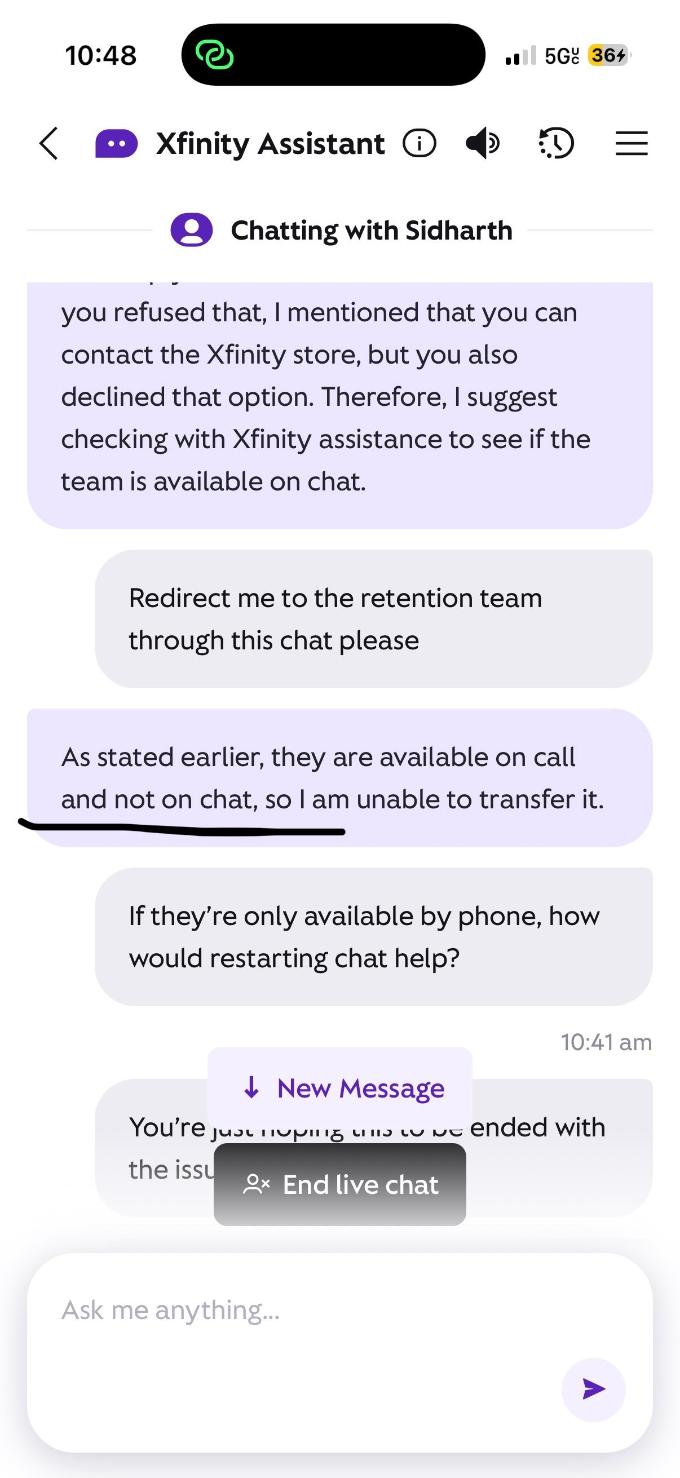
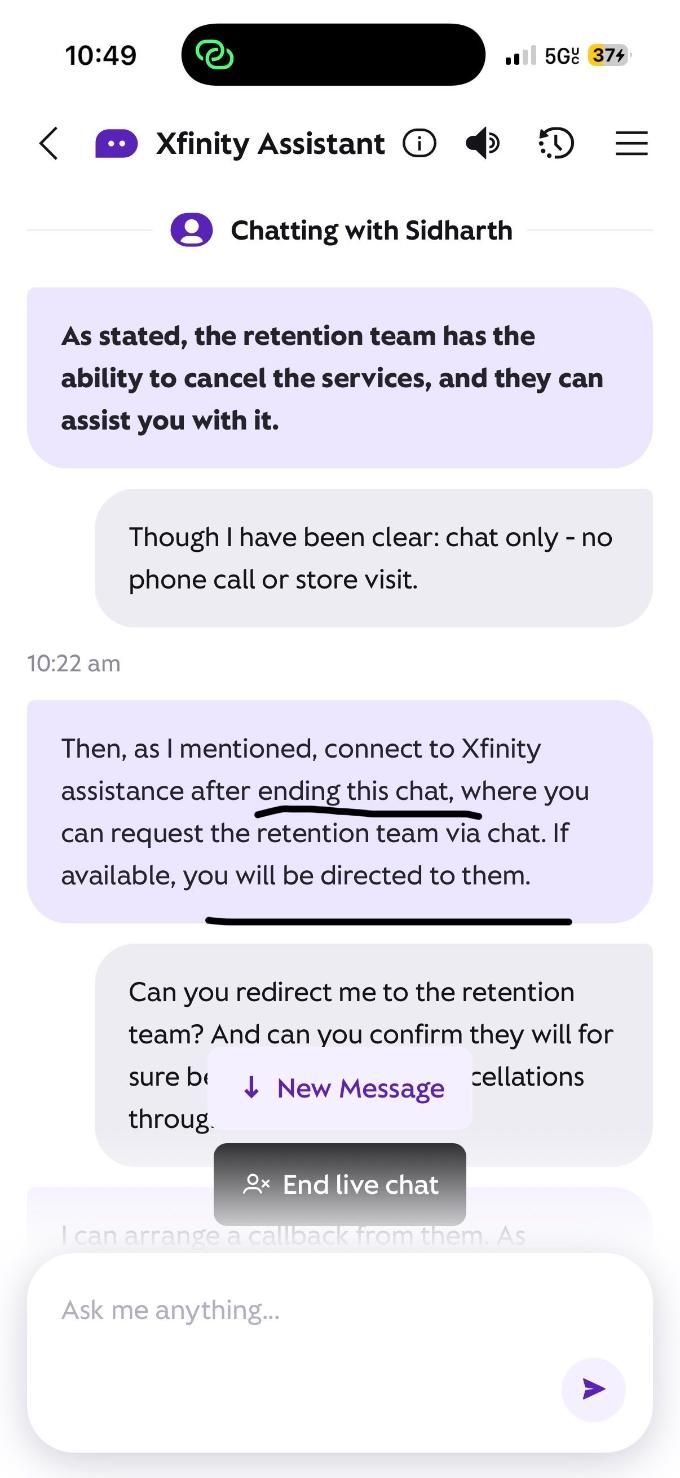
I requested cancellation of my internet service today, November 17, but live chat repeatedly insisted on verbal approval by phone or in person. I requested a supervisor, but my cancellation is still unconfirmed. I own all my equipment.
In the following case, an official employee confirmed that cancellation could be handled without a phone call and later confirmed it was completed:
Please process my cancellation through private messaging, effective today, and confirm the cancellation date and final balance in writing.
Thank you.

user_q1eko4
Visitor
•
3 Messages
5 days ago
The supervisor told me to end the chat and start a new one to reach retention, then said retention wasn’t available on chat. How was restarting supposed to help? Screenshots attached. My cancellation remains unresolved.
0
user_q1eko4
Visitor
•
3 Messages
5 days ago
0
XfinityMarcus
Official Employee
•
2.6K Messages
5 days ago
user_q1eko4 thank you for using the Xfinity Community Forums page to reach out today. We are happy to check on the status of that order for your account.
Please send us a direct message with your full name and complete service address to “Xfinity Support”. To do so, click on the direct messaging icon located at the top right of this forums page.
Here's the detailed steps to direct message us:
How to Send Us a Direct Message:
0
0